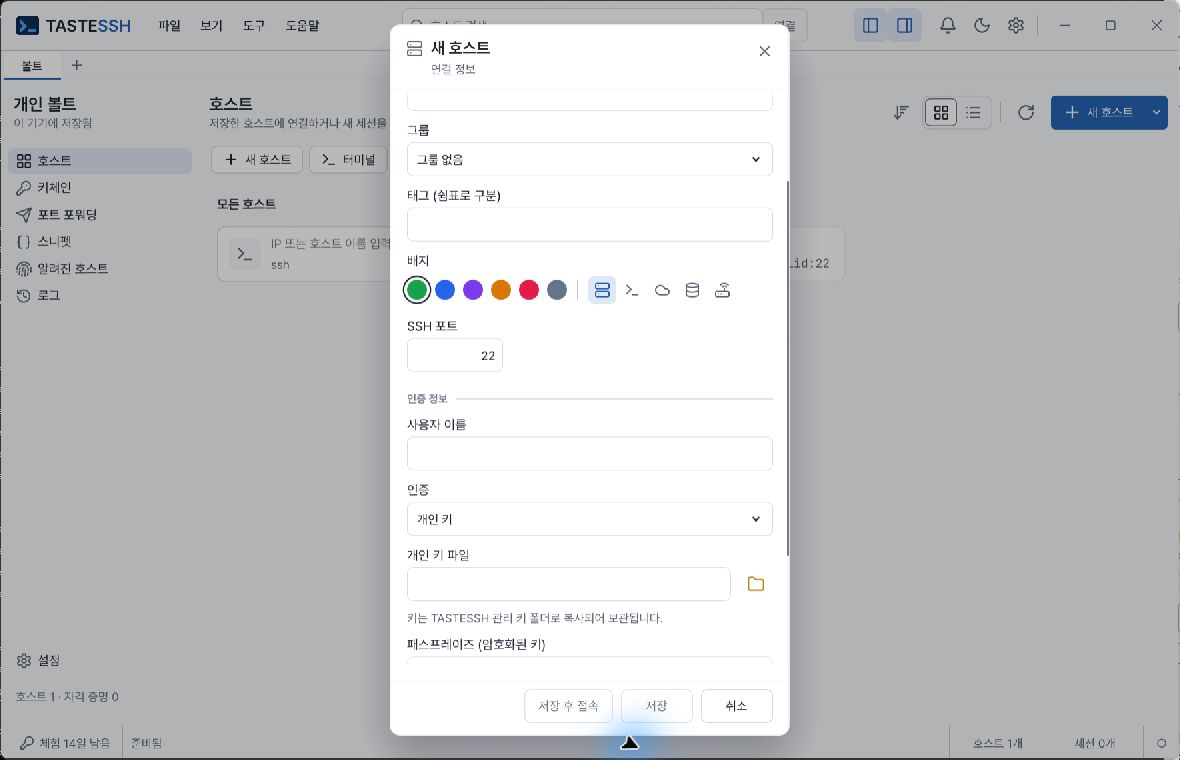
This is an example of input fields; it does not contain actual private keys or passphrases.
Prepare a private-key file you are authorized to use, its public key registered on the server, the username, and a passphrase if the key is encrypted.
To use an already registered managed key, select its keychain entry. Before replacing or deleting a key used by other hosts, check its references. Private-key files, Vault metadata and the OS secret store are different; app lock does not encrypt all of them.
SSH-agent authentication requires a running agent with the required key loaded. Consult CLI help for detailed management of key generation/import, public-key installation, certificates and agent enumeration. If the server asks additional authentication questions, respond through the app's authentication prompts after checking the question's origin and server.
The expected result is successful authentication and a displayed terminal. On failure, compare server account, registered public key, key-file format, passphrase, agent and server policy.
Manage authentication entries in Keychain, then associate them in host authentication settings. Passwords and key passphrases use the operating-system credential store. With key files, manage the original file location and access permissions too.
Moving to another device does not automatically prepare credentials. Check each device's OS keychain, key files and SSH agent. Before deleting keys or authentication entries, check which hosts use them.
Known hosts manages trusted server keys. Verify that an existing known_hosts file is trustworthy before importing it.
A registered server changing its key blocks connection. Determine whether this is server reinstallation/key replacement, the wrong server or a potential attack, then update only the necessary entry. Do not erase all known hosts or automatically trust new keys just to remove an error.
If the destination is not directly reachable, use the host editor's connection chain or proxy settings. Check the accounts, keys and permissions of the jump server and final server separately. Reaching an intermediate server is no reason to skip the final server's host-key verification.
